
Small business SEO does not need to feel like a 200-button cockpit. If you have zero SEO experience, the right AI SEO tool should tell you what to fix first, what page to improve, which keyword is realistic, and how to measure progress. This guide focuses on tools that can help a real business owner make better SEO decisions without becoming a full-time SEO specialist.
The tools below are reviewed one by one, with pricing, main features, pros, cons, and best-fit notes placed inside each tool section so the article stays easy to follow.
Editorial note: This guide follows the ReviewAIToolz review methodology and editorial policy. Tool facts are checked against public or official sources where possible, and hands-on testing is labelled only when it actually happened.
Best picks by small business use case
| Use case | Best tool | Why it fits |
|---|---|---|
| WordPress SEO with beginner guidance | Rank Math Content AI | Works inside WordPress and keeps optimization close to publishing. |
| Writing SEO pages without guessing | Surfer | Gives content structure, optimization guidance, and page improvement ideas. |
| One dashboard for SEO and tracking | SE Ranking | Covers audits, keyword tracking, competitor checks, content, and AI search tools. |
| Question-led SEO, GEO, and briefs | Frase | Turns topics into questions, briefs, optimization, and AI visibility workflows. |
| Advanced SEO with bigger budget | Semrush | Deep keyword, competitor, content, technical, local, and AI search data. |
Pricing comparison checked from official pages
Pricing changes often, so treat this as a buying snapshot checked on July 20, 2026. Always confirm on the official pricing page before purchasing.
| Tool | Entry paid pricing found | Higher plans found | Best budget fit |
|---|---|---|---|
| Rank Math Content AI | Starter: EUR 5.99/month billed annually, renewal listed at EUR 6.99/month plus taxes | Creator: EUR 10.99/month; Expert: EUR 16.99/month, billed annually | Best low-cost option for WordPress sites |
| Surfer | Discovery: $49/month billed yearly | Standard: $99/month; Pro: $182/month; Peace of Mind: $299/month, billed yearly | Good when content optimization is the main need |
| SE Ranking | Core: $493.20/month billed annually, or $129/month monthly | Growth: $223.20/month billed annually, or $279/month monthly; AI Search add-on shown from $71.20/month annually | Good when you need one SEO + GEO dashboard |
| Frase | Starter: $39/month billed yearly, or $49/month monthly | Professional: $493/$129 per month; Scale: $239/$299 per month | Good for content teams and question-led pages |
| Semrush | Free plan available; Pro SEO pricing shown at $117.33/month billed annually, or $139/month monthly | SEO + AI Search plans shown from $165.17/month annually; Pro+ and Advanced cost more | Best when SEO is already a serious channel |
Detailed AI SEO tool reviews
1. Rank Math Content AI – best for WordPress small business websites
Rank Math Content AI is the easiest first choice when your website is built on WordPress. Instead of moving between a writing tool, SEO plugin, and publishing screen, you can work inside the same WordPress environment. That matters for small business owners because friction kills consistency.
| Best for | WordPress websites, local service businesses, bloggers, consultants, and small SaaS sites that publish inside WordPress. |
|---|---|
| Main features | AI writing tools, SEO suggestions, content optimization, RankBot, AI prompts, WordPress editor workflow, schema support through Rank Math SEO, and AI visibility tracking on paid Content AI plans. |
| Pricing checked | Starter was listed at EUR 5.99/month billed annually. Creator was listed at EUR 10.99/month and Expert at EUR 16.99/month, billed annually. Renewals were listed higher plus taxes. |
| First task to run | Improve one existing money page: title, meta description, headings, FAQ, internal links, and content depth. |
Pros
- Very beginner-friendly if your site is already on WordPress.
- Low entry pricing compared with larger SEO suites.
- Keeps AI content help close to the publishing workflow.
- Useful for titles, outlines, schema, optimization, and on-page SEO basics.
Cons
- Less useful if your website is not on WordPress.
- Content AI usage has plan limits, so heavy publishing may need a higher plan.
- It does not replace keyword strategy or real business examples.
Who should choose it? Choose Rank Math Content AI if you want the simplest, cheapest, WordPress-native AI SEO setup. Check Rank Math Content AI.
2. Surfer – best for writing and improving SEO content
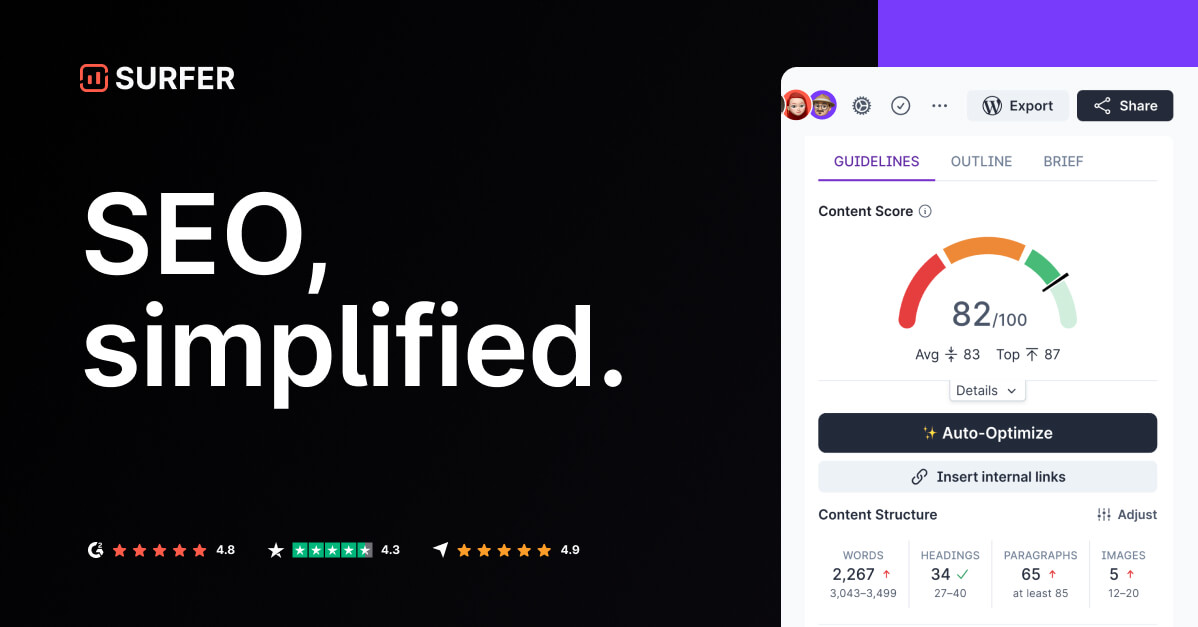
Surfer is strongest when the problem is content quality and search intent. You enter a keyword, review what top pages are covering, and then write or improve a page with guidance around structure, terms, and content gaps.
| Best for | Small businesses that publish blog posts, landing pages, local pages, or comparison pages and want guided optimization. |
|---|---|
| Main features | Content Editor, existing page improvement, AI search visibility monitoring, content creation workflows, team collaboration on higher plans, plagiarism checker, and rank drop detection on stronger plans. |
| Pricing checked | Discovery was listed at $49/month billed yearly. Standard was $99/month, Pro was $182/month, and Peace of Mind was $299/month, billed yearly. |
| First task to run | Create a Content Editor for one realistic buyer keyword, then improve the article with original examples and internal links. |
Pros
- Excellent for reducing blank-page confusion.
- Good for on-page optimization and content gap checks.
- Helpful when you need to improve existing pages, not only write new ones.
- Clear fit for SEO writers and small marketing teams.
Cons
- Can push writers toward over-optimized content if used without judgment.
- Not a full technical SEO or backlink platform.
- Entry pricing is higher than basic WordPress SEO tools.
Who should choose it? Choose Surfer if content is your main SEO bottleneck and you want a guided writing process. Check Surfer pricing.
3. SE Ranking – best all-in-one SEO and GEO dashboard

SE Ranking is a better fit when you want one platform instead of five separate tools. It covers keyword research, rank tracking, website audits, on-page checks, competitor research, backlinks, content tools, and newer AI search tracking workflows.
| Best for | Growing businesses that want technical SEO, tracking, content, and AI visibility in one place. |
|---|---|
| Main features | Rank Tracker, Keyword Research, Website Audit, On-Page SEO Checker, Competitor Analysis, Backlink Checker, Content Editor, AI Writer, AI Search Toolkit, AI Overviews Tracker, AI Mode Tracker, ChatGPT Tracker, Gemini Tracker, and Perplexity Tracker. |
| Pricing checked | Core was listed at $493.20/month billed annually or $129/month monthly. Growth was listed at $223.20/month billed annually or $279/month monthly. AI Search add-on was shown from $71.20/month annually or $89/month monthly. |
| First task to run | Run a site audit, track 10 keywords, and fix the top technical issues before writing new content. |
Pros
- Strong all-in-one coverage for the price compared with enterprise tools.
- Useful for owners who want one place for audits, rankings, competitors, and content.
- AI search tracking makes it relevant for GEO and AEO planning.
- Good reporting structure for agencies and growing teams.
Cons
- More expensive than beginner WordPress tools.
- Dashboard can feel broad at first.
- AI search features may need add-ons depending on the plan.
Who should choose it? Choose SE Ranking if you want one SEO command center and can afford a broader platform. Check SE Ranking pricing.
4. Frase – best for question-led SEO, GEO, and content briefs
Frase is useful when you need to understand what questions a topic should answer. That makes it strong for AEO and GEO because answer engines prefer pages that clearly cover entities, questions, and useful subtopics.
| Best for | Small businesses that create educational content, comparison pages, service guides, and answer-led articles. |
|---|---|
| Main features | SEO research, topic clusters, AI writing, brand voice, SEO optimization, GEO optimization, AI visibility tracking, site audit, publishing workflows, and integrations with WordPress, Webflow, Sanity, and Wix. |
| Pricing checked | Starter was listed at $39/month billed yearly or $49/month monthly. Professional was $493/$129 per month. Scale was $239/$299 per month. A 7-day free trial was listed. |
| First task to run | Build a brief for one service page or buyer guide, then answer the real questions customers ask before buying. |
Pros
- Strong for content briefs and question research.
- Clear SEO + GEO positioning.
- Good fit for small teams that publish educational content.
- Helpful when you want content to be more answer-friendly.
Cons
- Not a complete backlink or enterprise technical SEO suite.
- Article, audit, and prompt limits can matter as you scale.
- Still needs human examples, product proof, and editorial review.
Who should choose it? Choose Frase if you want stronger briefs, better question coverage, and AI-search-friendly content structure. Check Frase pricing.
5. Semrush – best for serious SEO growth with a bigger budget

Semrush is the most powerful option on this list, but it is not always the best first purchase for a beginner. It makes sense when organic traffic is already important to your business, or when you have a marketer who can use competitor, keyword, backlink, local, content, and technical reports.
| Best for | Businesses that want deeper keyword research, competitor analysis, technical audits, local SEO, backlinks, content workflows, reporting, and AI search visibility. |
|---|---|
| Main features | Keyword Research, Competitor Analysis, Market Analysis, Local SEO, AI Brand Sentiment, Backlink Analysis, Content Creation, Technical Site Health, Digital PR, Rank Tracking, reports, and AI search plans. |
| Pricing checked | A free plan was listed. Pro SEO pricing was shown at $117.33/month billed annually or $139/month monthly. SEO + AI Search plans started at $165.17/month billed annually or $199/month monthly. Content Toolkit pricing was also listed separately from $60/month. |
| First task to run | Compare one competitor, find keyword gaps, run a site audit, and build a 90-day content plan around realistic terms. |
Pros
- Very strong data depth for keyword and competitor research.
- Covers technical SEO, content, local, backlinks, and reporting.
- Useful when SEO is a serious acquisition channel.
- AI search pricing makes it relevant for brands tracking AI visibility.
Cons
- Can be expensive for a very small business.
- Too many features can slow down beginners.
- You need a clear workflow to get value from it.
Who should choose it? Choose Semrush when SEO is no longer an experiment and you are ready to invest in a bigger platform. Check Semrush SEO and AI Search pricing.
Which tool should a beginner choose first?
| Your situation | Choose this | Reason |
|---|---|---|
| You use WordPress and want the easiest start | Rank Math Content AI | Lowest friction and affordable entry pricing. |
| You write pages but do not know how to optimize them | Surfer | Best guided content optimization workflow. |
| You want audits, rankings, and content in one place | SE Ranking | Best all-in-one dashboard for a growing small business. |
| You want question-based content and AI citation readiness | Frase | Best fit for AEO/GEO-style briefs and answers. |
| You have budget and want competitor intelligence | Semrush | Best for serious SEO operations. |
What competitor articles often miss
Many AI SEO tool lists are useful, but they often create too many choices for beginners. A business owner with no SEO experience does not need 15 dashboards. They need one practical starting point, a realistic budget, and a workflow that produces better pages.
- Beginner workflow: most lists explain tools, but not what to do in week one.
- Budget clarity: small businesses need real pricing ranges before they compare features.
- GEO and AEO relevance: answer-friendly structure, entity clarity, and AI visibility tracking are now important.
- Execution discipline: improving existing revenue pages usually matters more than publishing many thin AI posts.
30-day AI SEO workflow for a small business owner
| Week | Action | What success looks like |
|---|---|---|
| Week 1 | Set up Google Search Console, submit your sitemap, choose one AI SEO tool, and run a site audit. | You know your baseline clicks, impressions, indexation issues, and top technical problems. |
| Week 2 | Improve 3 existing pages that matter commercially. | Better titles, clearer headings, useful FAQs, internal links, and stronger calls to action. |
| Week 3 | Create one new buyer-intent page, such as a comparison, best tools, pricing, or service guide. | The page answers the main question, includes examples, and links to related pages. |
| Week 4 | Review Search Console data, ranking movement, and AI visibility if your tool supports it. | You decide what to update next based on evidence, not guesses. |
How to keep the content SEO, GEO, and AEO friendly
Google says standard SEO fundamentals still matter for AI search features because AI experiences use content from the search index. For small businesses, that means your page should be crawlable, useful, specific, and easy to quote.
- Put the recommendation near the top, but label it naturally.
- Use tables when users need comparison, pricing, or decision support.
- Add pros and cons so the article feels honest.
- Link to official sources when pricing or features matter.
- Add internal links to related pages so users can continue reading.
- Update the page when pricing or features change.
Related internal pages: browse our AI tools directory, read the AI SEO tools buying guide, or submit an AI tool for ReviewAIToolz.
FAQ
What is the best AI SEO tool for small business owners with no SEO experience?
Rank Math Content AI is the easiest starting point for WordPress users. Surfer is better for guided content optimization, SE Ranking is better for one-dashboard SEO management, and Frase is strong for question-led SEO and GEO content.
Should a small business buy more than one AI SEO tool?
Not at the beginning. Start with Google Search Console and one paid tool. Add another only when you know exactly what workflow is missing.
Which AI SEO tool is cheapest?
From the official pricing pages checked on July 20, 2026, Rank Math Content AI had the lowest entry pricing among these tools, with Starter listed at EUR 5.99/month billed annually.
Can AI SEO tools replace an SEO expert?
No. AI SEO tools help with research, audits, briefs, optimization, and writing support. Strategy, prioritization, technical decisions, examples, and trust signals still need human judgment.
What should I optimize first?
Start with existing pages closest to revenue: service pages, product pages, pricing pages, comparison pages, and pages already getting impressions in Google Search Console.
Official sources checked
- Google guide to generative AI search optimization
- Google structured data documentation
- Rank Math Content AI
- Rank Math pricing
- Surfer pricing
- SE Ranking pricing
- Frase pricing
- Semrush SEO and AI Search pricing
Found something wrong or outdated? Report an issue. Want us to cover something? Suggest a topic.
Comments