
Choosing an AI customer support tool in 2026 is not just about adding a chatbot to your website. The right platform should reduce repetitive tickets, protect customer trust, hand off complex cases cleanly, and fit your existing helpdesk, CRM, ecommerce stack, and budget.
This guide compares the best AI customer support tools for SaaS companies, ecommerce stores, small businesses, agencies, and support teams that want faster replies without turning every customer conversation into a risky automation experiment.
Best overall starting point for most SaaS teams: Intercom Fin if you already want a chat-first support experience. Best for existing Zendesk teams: Zendesk AI. Best budget all-in-one helpdesk: Freshdesk with Freddy AI. Best for Shopify and ecommerce support: Gorgias or Yuma AI. Best low-friction SMB chatbot: Tidio Lyro or Chatbase.
Pricing and product details were checked against official vendor pages on July 25, 2026. AI support pricing changes often, especially outcome-based and usage-based plans, so always confirm final costs with the vendor before buying.
Editorial note: This guide follows the ReviewAIToolz review methodology and editorial policy. Tool facts are checked against public or official sources where possible, and hands-on testing is labelled only when it actually happened.
Who this guide is for
This article is written for founders, customer support managers, ecommerce operators, SaaS teams, and agencies comparing AI customer support tools with commercial intent. You are probably trying to answer one of these questions:
- Which AI support tool can reduce repetitive tickets without frustrating customers?
- Should we buy an AI chatbot, an AI helpdesk, or an AI agent?
- Which tool fits our current stack: Intercom, Zendesk, Freshdesk, Shopify, HubSpot, or Zoho?
- How much will AI support automation really cost after seats, usage, and add-ons?
- How do we test AI support safely before letting it answer real customers?
If you want to browse more tools by category, start with the ReviewAIToolz AI Customer Support directory or the broader AI tools hub.
How we evaluated these AI customer support tools
We reviewed each tool using the buying criteria support teams actually care about: answer quality, knowledge-base grounding, human handoff, helpdesk integrations, pricing model, setup difficulty, reporting, data controls, and fit by company type. We also reviewed Google SERP patterns, Reddit-style buyer questions, official pricing pages, vendor documentation, and public product information.
- Resolution quality: Can the tool solve real customer questions, not just reply quickly?
- Knowledge grounding: Does it use help docs, policies, order data, account context, and previous tickets?
- Human handoff: Can it escalate with context when confidence is low?
- Pricing clarity: Is pricing seat-based, outcome-based, ticket-based, credit-based, or custom?
- Workflow fit: Does it fit SaaS support, ecommerce support, SMB live chat, enterprise contact centers, or internal service desks?
- Trust controls: Does it support permissions, audit trails, guardrails, and privacy needs?
We do not recommend choosing purely by vendor claims like “80% deflection.” For support, the better metric is verified resolution rate: did the customer actually get the issue solved without creating a second ticket later?
Best AI customer support tools by situation
| Situation | Best tool to check first | Why it fits |
|---|---|---|
| SaaS chat-first support | Intercom Fin | Strong AI agent, helpdesk, messenger, handoff, and outcome pricing. |
| Already using Zendesk | Zendesk AI | Native AI agents, copilot, routing, knowledge base, and large support ecosystem. |
| Budget all-in-one helpdesk | Freshdesk Freddy AI | Good mix of ticketing, omnichannel support, AI agent sessions, and SMB-friendly setup. |
| Shopify ecommerce support | Gorgias | Built around order questions, returns, WISMO tickets, and ecommerce workflows. |
| Small business website chat | Tidio Lyro | Fast setup, live chat, helpdesk, and AI conversations for smaller teams. |
| Human-first shared inbox | Help Scout | Simple support inbox with AI Answers and a clean experience for lean teams. |
| CRM-driven service teams | HubSpot Service Hub | Best when support, marketing, sales, and CRM context already live in HubSpot. |
| Zoho ecosystem | Zoho Desk | Useful for teams already using Zoho CRM, Desk, and Zia AI features. |
| Fast docs-trained chatbot | Chatbase | Good for launching a support chatbot on docs, help pages, and product information. |
| No-code enterprise automation | Ada | Strong for large teams that need governed automation and custom support flows. |
| Enterprise AI support platform | Forethought | Outcome-based platform approach with AI support automation and enterprise fit. |
| Ecommerce AI automation trial | Yuma AI | Ecommerce-first AI that plugs into live ticket workflows and offers trial-style validation. |
AI customer support tools comparison table
| Tool | Best for | Pricing model note | Main advantage | Watch out for |
|---|---|---|---|---|
| Intercom Fin | SaaS and chat-first support | From $0.99 per Fin outcome, plus helpdesk seat plans where applicable | Strong AI agent with easy handoff | Outcome pricing can grow with volume |
| Zendesk AI | Existing Zendesk teams | Suite and Support plans; Copilot listed as an add-on on pricing page | Native enterprise support stack | Can become expensive as AI and seats scale |
| Freshdesk Freddy AI | SMBs and support teams needing full helpdesk | Freddy AI Copilot and AI Agent sessions are priced as add-ons | Good value and straightforward support workflows | Advanced setup still needs clean docs and workflows |
| Gorgias | Shopify and ecommerce brands | Ticket-volume helpdesk pricing plus AI Agent interaction pricing | Strong ecommerce context | Less ideal for non-retail SaaS support |
| Tidio Lyro | Small business live chat and AI support | Starter/Growth plans plus Lyro AI conversation packages | Fast setup and good SMB usability | High-volume teams may need Plus or custom plans |
| Help Scout AI Answers | Lean teams that want human-first support | Free plan available; AI resolutions billed separately | Clean inbox and customer-friendly feel | Less deep automation than enterprise AI platforms |
| HubSpot Service Hub | CRM-first support and customer success | HubSpot seat and credit structure; Customer Agent trial available on eligible plans | Unified CRM context | Best value only if your CRM is already HubSpot |
| Zoho Desk Zia | Zoho-native teams | Free edition exists; AI depth depends on edition and region | Affordable ecosystem fit | Not as plug-and-play for advanced AI agents |
| Chatbase | Docs-trained chatbots and quick launch | Free plan, paid tiers by message credits and features | Quick to train and deploy | Not a full helpdesk replacement for complex operations |
| Ada | Enterprise no-code customer service automation | Custom pricing via sales/demo | Strong automation builder and governance | Requires planning and implementation effort |
| Forethought | Enterprise AI support automation | Platform access plus outcome-based cost; consult sales | Enterprise-grade support AI platform | Not a cheap starter option |
| Yuma AI | Ecommerce ticket automation | Performance-based billing and 30-day trial messaging | Strong ecommerce automation focus | Mainly built for ecommerce, not broad SaaS support |
1. Intercom Fin
Best for: SaaS companies that want a chat-first AI agent with strong handoff to human support.
Intercom Fin is one of the strongest AI customer support tools for software companies because it sits close to the customer conversation: live chat, email, phone, help center, messenger, and agent handoff. It can answer from your help content, take actions through configured procedures, and pass context to the support team when the customer needs a human.
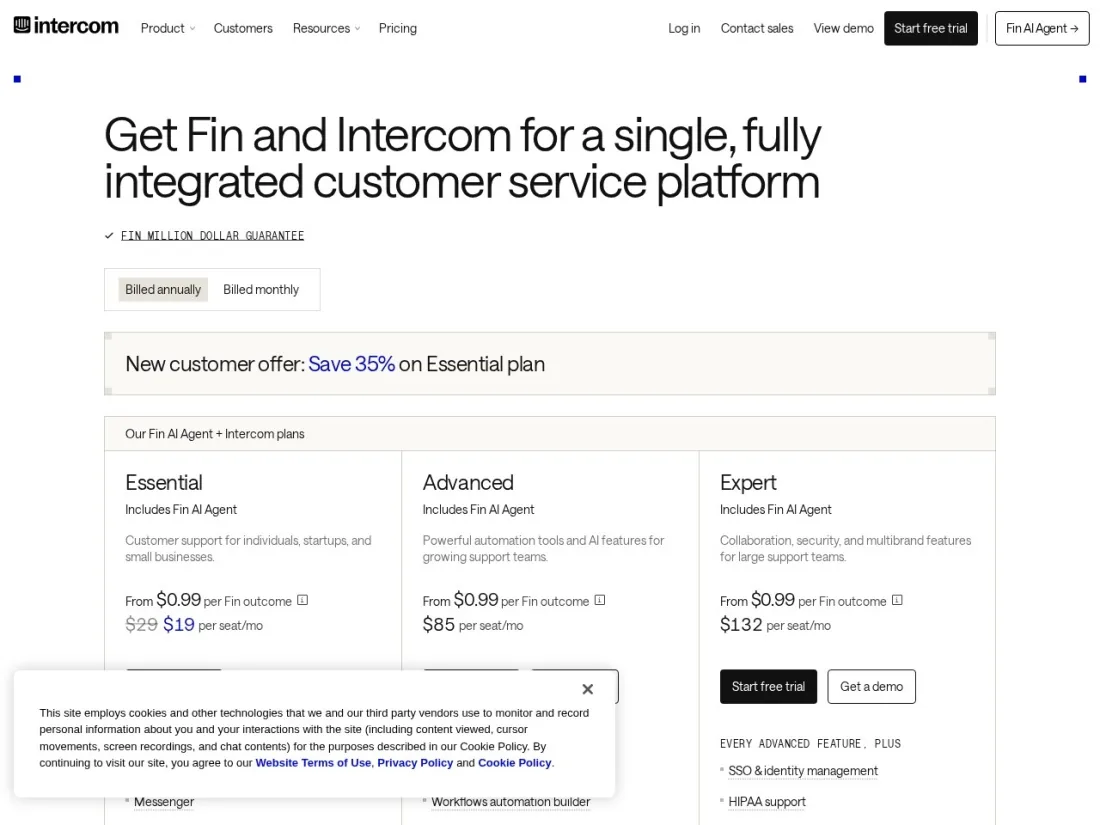
Official Intercom pricing lists Fin from $0.99 per Fin outcome. Intercom also offers helpdesk seat pricing if you use the Intercom workspace rather than adding Fin to an existing helpdesk.
Pros
- Strong fit for SaaS and product-led support.
- Outcome-based AI agent pricing is easy to understand at small scale.
- Good handoff, messenger, knowledge base, and support workflow experience.
Cons
- Cost can rise quickly if Fin resolves a high number of conversations.
- Teams outside Intercom may need setup work to fit their existing helpdesk.
- AI quality depends heavily on clean support docs and policies.
Choose Intercom Fin if your customers expect chat-based support, you already use Intercom, or you want a modern AI agent experience without building support automation from scratch.
2. Zendesk AI
Best for: support teams already running Zendesk who want native AI agents, copilot features, routing, and knowledge base automation.
Zendesk remains one of the largest customer service platforms, so Zendesk AI is a practical first stop for teams that already have tickets, macros, routing, reporting, and help center content inside Zendesk. It is not always the lowest-cost path, but migration risk is lower if your support process already lives there.
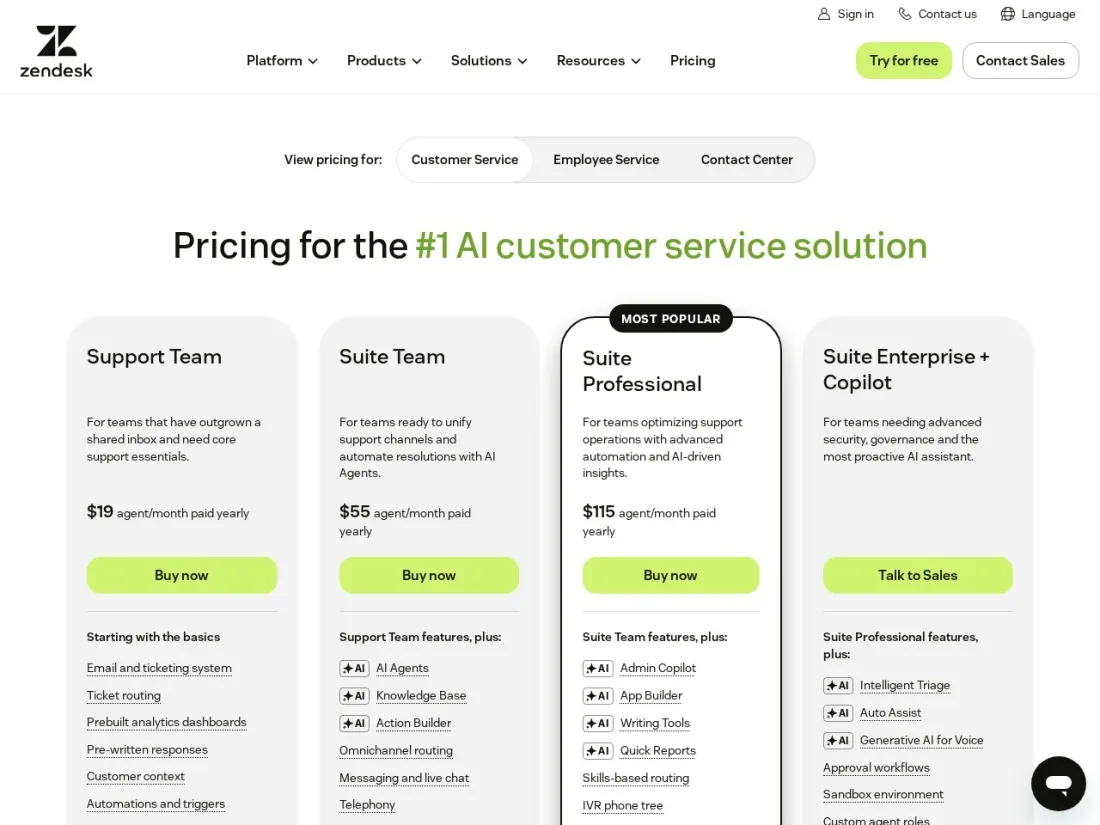
Official Zendesk pricing lists Support and Suite plans, with AI features appearing across Suite tiers and Copilot shown as an add-on on the pricing page. The key buying question is total cost: seats, AI usage, contact center needs, and implementation.
Pros and cons
| Pros | Large ecosystem, strong ticketing, knowledge base, routing, reporting, and enterprise trust. |
| Cons | Pricing can become layered; smaller teams may find the setup heavier than needed. |
Choose Zendesk AI if your team is already invested in Zendesk and wants AI inside the same service operations layer.
3. Freshdesk Freddy AI
Best for: small and mid-sized support teams that want AI support automation inside an approachable helpdesk.
Freshdesk is a strong value pick because it gives teams a real helpdesk foundation: tickets, automation, knowledge base, routing, reporting, omnichannel options, and Freddy AI add-ons. For teams that are not ready for enterprise custom AI, Freshdesk is often easier to pilot.
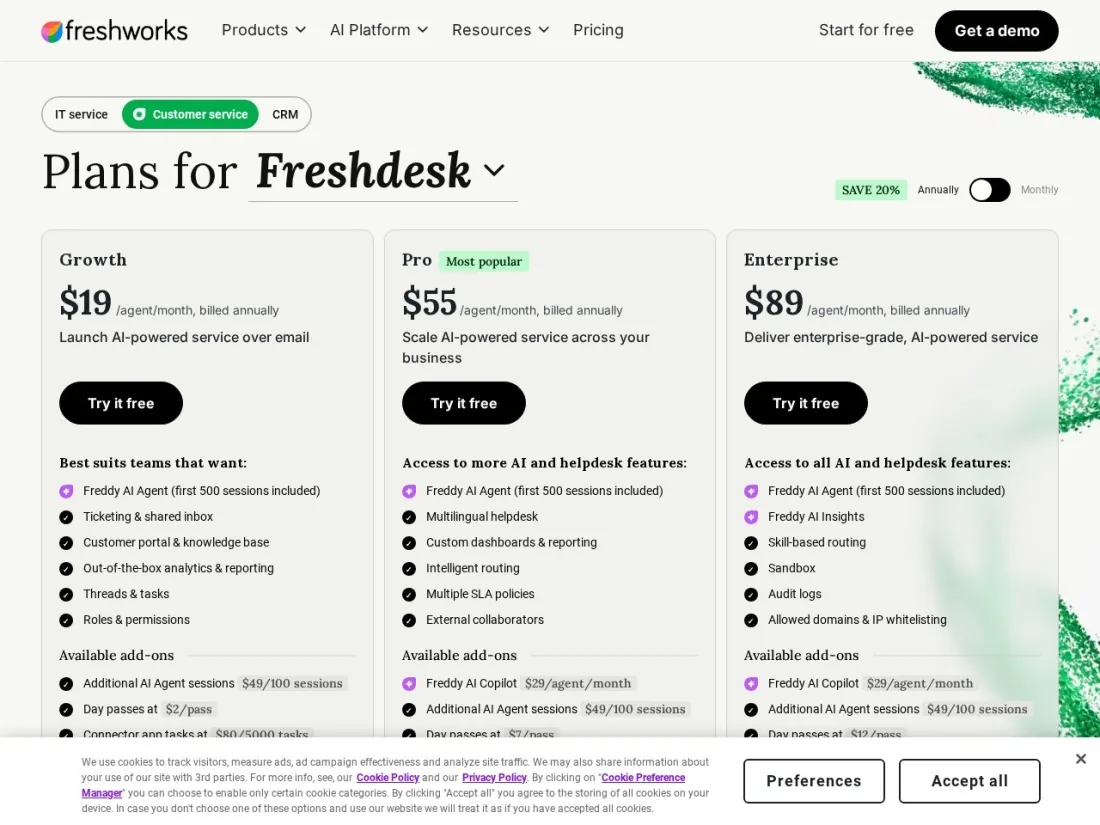
Freshworks pricing pages list Freddy AI Copilot as an add-on and AI Agent sessions as usage packs. This makes it easier to start smaller, then expand once the help center and ticket flows are clean enough for AI automation.
- Pros: beginner-friendly helpdesk, useful AI add-ons, good fit for growing teams.
- Cons: advanced AI still needs setup, clean documentation, and careful reporting.
- Best use: replacing shared inbox chaos with ticketing plus AI assistance.
4. Gorgias
Best for: Shopify and ecommerce brands handling order status, shipping, returns, product questions, and repetitive support tickets.
Gorgias is not just a generic chatbot. Its strength is ecommerce context. It can connect support conversations to orders, customer data, storefront behavior, and common retail workflows. That makes it a better fit for ecommerce than many broad support platforms.
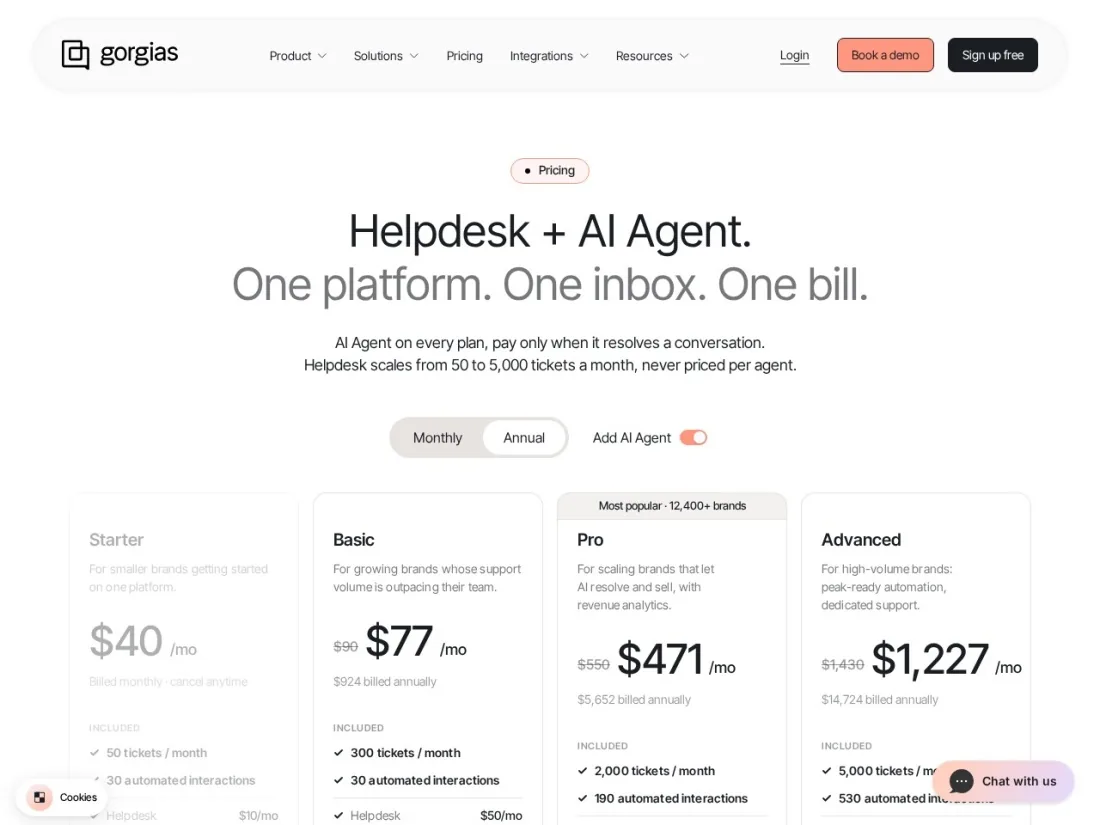
Official Gorgias pricing explains helpdesk pricing by ticket volume and AI Agent pricing by automated interactions. Ecommerce teams should calculate both the helpdesk subscription and AI interaction cost before committing.
- Pros: Shopify fit, order context, strong ecommerce workflows, unlimited agent-style pricing structure on helpdesk plans.
- Cons: not the natural first choice for B2B SaaS or technical support teams.
- Best use: reducing repetitive ecommerce tickets such as “where is my order?” and returns questions.
5. Tidio Lyro
Best for: small businesses, service businesses, ecommerce starters, and teams that want AI chat plus live chat without a heavy enterprise setup.
Tidio combines live chat, helpdesk, automation flows, and Lyro AI Agent. It is a good first AI customer support tool when you want a chat widget that can answer repetitive questions from your site content, then hand off to a person when needed.
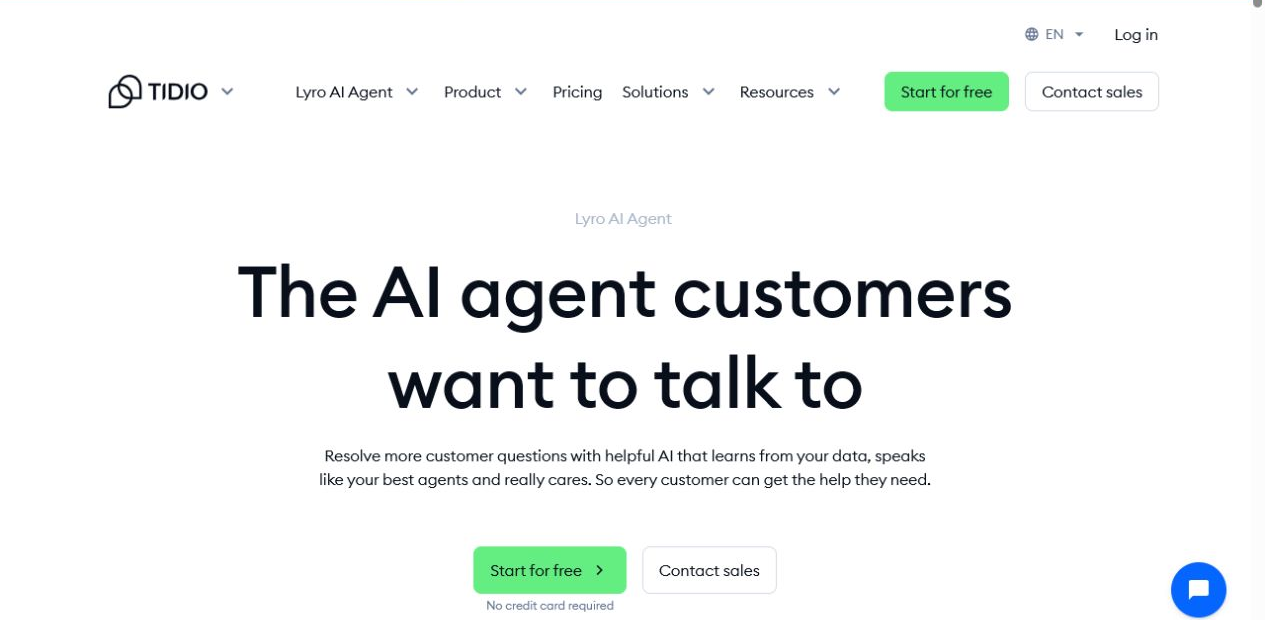
Official Tidio pricing lists a Starter plan, Growth plan, Plus plan, Premium plan, and Lyro AI Agent add-on starting from a conversation package. This makes it easier to test at smaller volumes before moving into a custom plan.
- Pros: easy setup, SMB-friendly UX, live chat plus AI, useful for lead capture and support.
- Cons: larger teams may outgrow the simpler plan structure and need custom limits.
- Best use: adding reliable AI support to a website without switching to a complex helpdesk.
6. Help Scout AI Answers
Best for: lean teams that want a human-first shared inbox with AI assistance and self-service answers.
Help Scout has always leaned toward clean, friendly customer communication. Its AI Answers product is useful when your support content is strong and you want customers to get instant answers without making the experience feel overly automated.
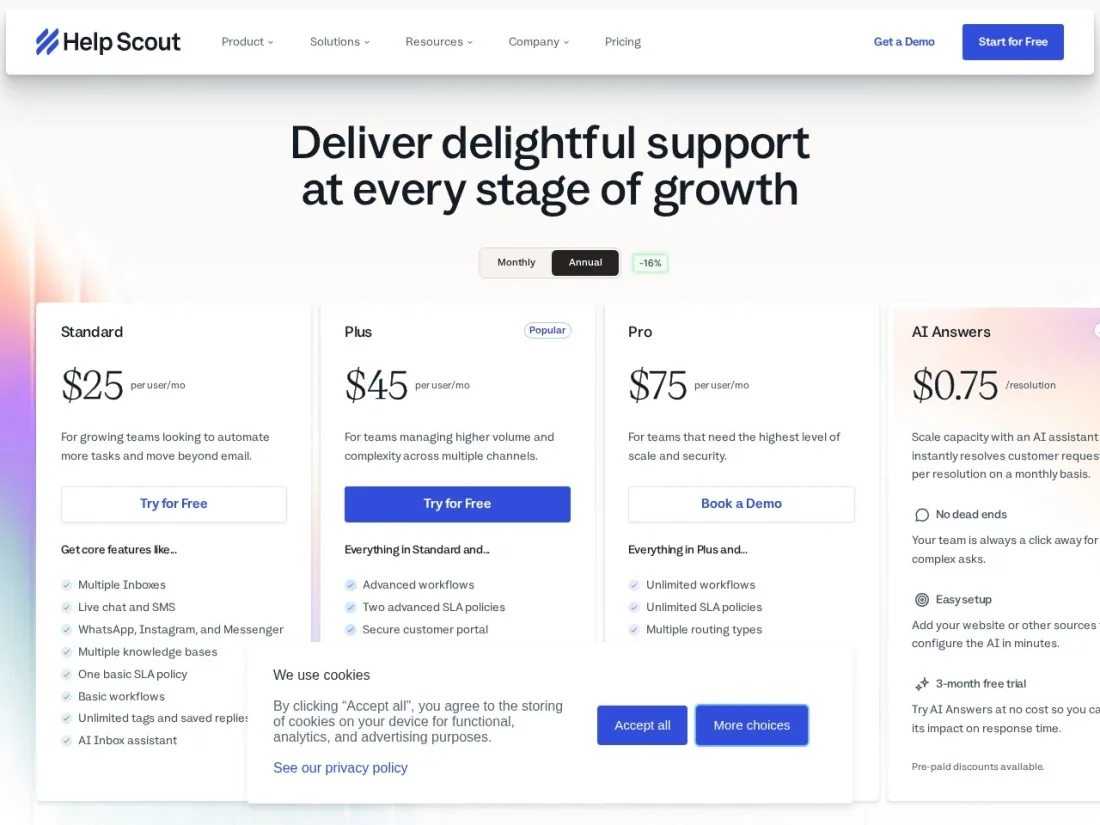
Official Help Scout pricing includes a free plan for basics, while AI Resolutions documentation lists AI Answers as pay-as-you-go per resolution. This is simple to understand, but you should estimate monthly resolved conversations before relying on it heavily.
- Pros: simple inbox, clean experience, good for small support teams and customer-friendly brands.
- Cons: not as deep for multi-step enterprise automation or complex account actions.
- Best use: improving self-service while keeping support personal.
7. HubSpot Service Hub Customer Agent
Best for: businesses already using HubSpot CRM, marketing, sales, and service workflows.
HubSpot Service Hub is strongest when support is not separate from the rest of the customer journey. If your team already uses HubSpot for CRM, email, deals, lifecycle stages, and customer data, its AI customer agent and service tools can make support more connected.
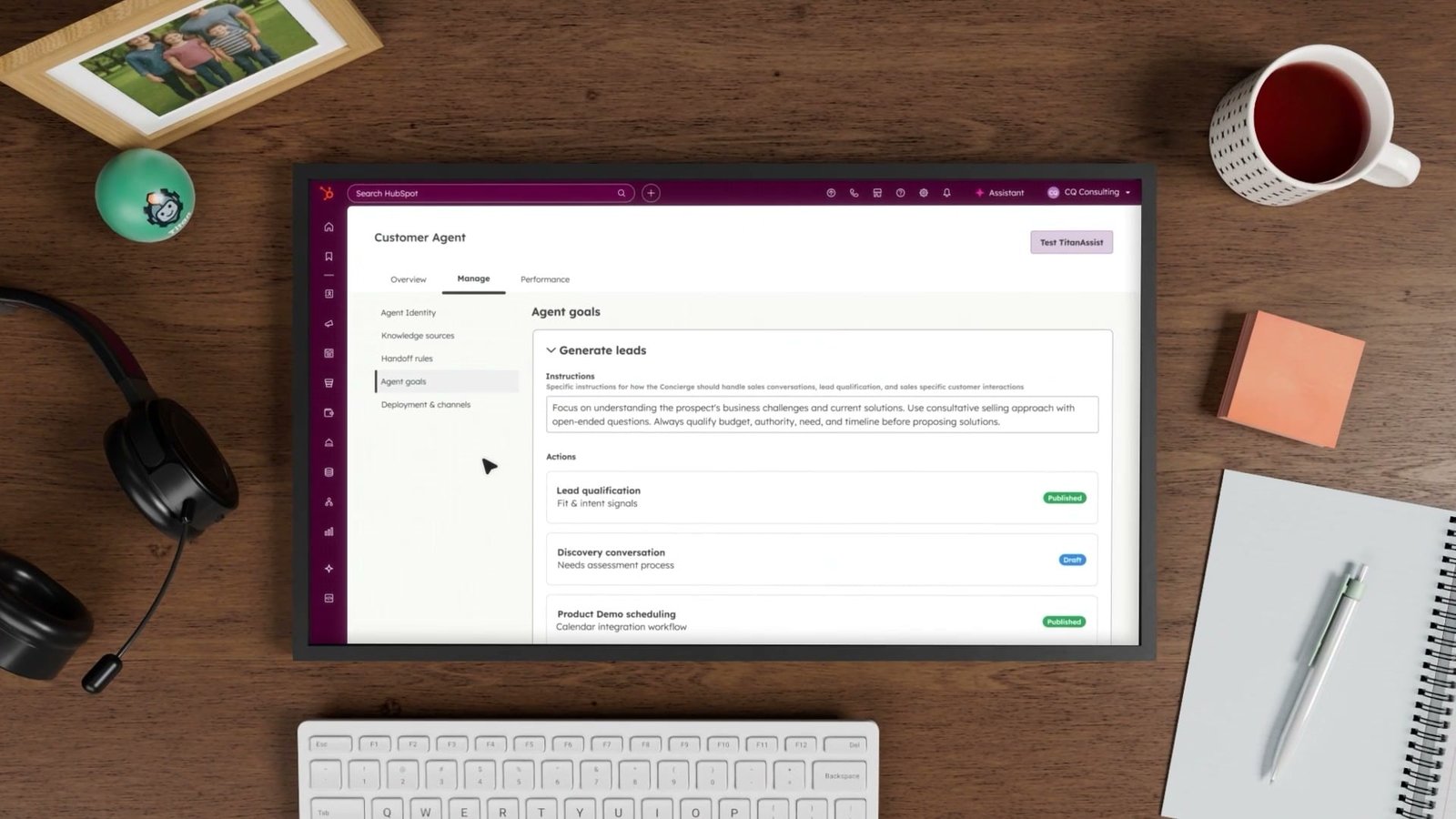
Official HubSpot service pricing shows free and paid service options, with Customer Agent access and trial language attached to eligible Service plans. Because HubSpot pricing can involve seats, hubs, and credits, calculate the full platform cost before comparing it to a standalone chatbot.
- Pros: CRM context, service tickets, customer data, marketing/sales alignment.
- Cons: best value only if HubSpot is already central to your company.
- Best use: support teams that need AI answers connected to customer records.
8. Zoho Desk Zia
Best for: teams already using Zoho products and looking for affordable AI-assisted ticketing.
Zoho Desk gives businesses ticketing, workflows, knowledge base, customer context, and Zia AI features depending on edition and region. It is a practical option if your CRM, helpdesk, and operations already live inside the Zoho ecosystem.
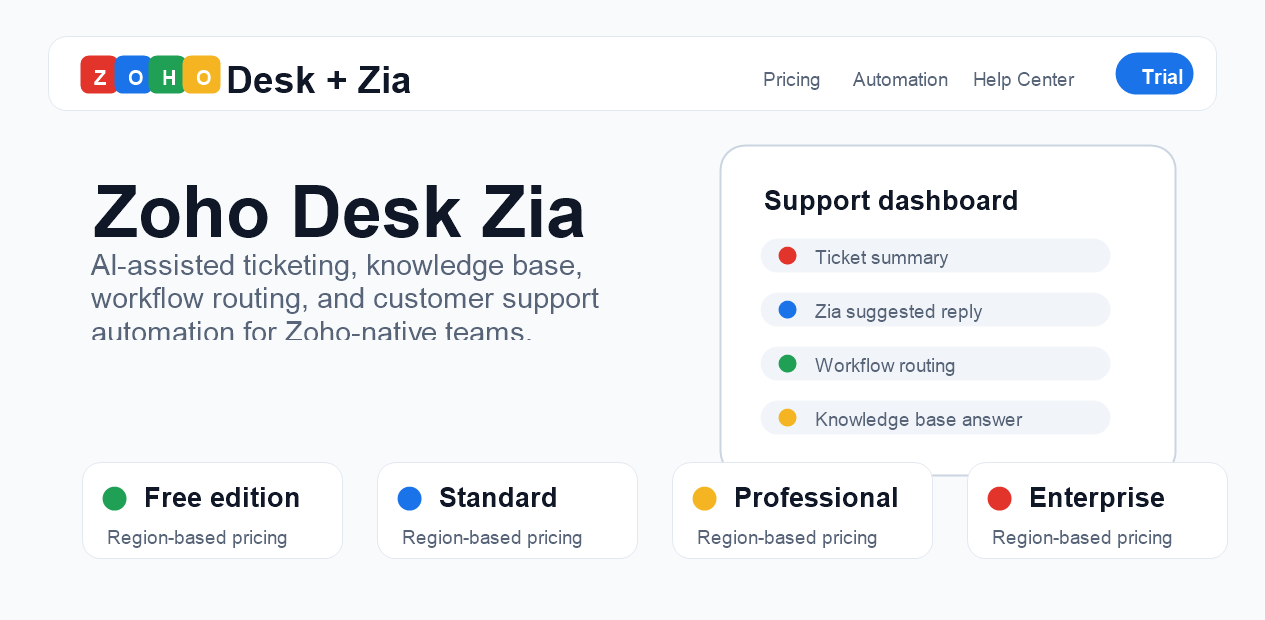
Zoho’s official pricing page shows a free edition and paid plans, though pricing display can vary by country. For AI support automation, check which Zia features are included in your selected plan before buying.
- Pros: strong value, Zoho ecosystem fit, useful ticket context.
- Cons: advanced AI depth can depend on plan and region.
- Best use: Zoho-native teams that want helpdesk AI without moving systems.
9. Chatbase
Best for: quickly launching a support chatbot trained on product docs, FAQs, help articles, and website content.
Chatbase is not a traditional helpdesk first. It is better understood as a fast AI agent/chatbot builder that can learn from your content and answer customer questions on your website. It is useful for product-led sites, documentation-heavy products, and teams that need an AI assistant before they need a full support operations platform.

Official Chatbase pricing includes a free plan and paid plans such as Hobby, Standard, and Pro, with message credits, integrations, and advanced features increasing by tier.
- Pros: quick launch, clear message-credit tiers, useful integrations, good for documentation-first answers.
- Cons: not a complete replacement for a mature support desk with SLAs, agents, and complex workflows.
- Best use: adding AI answers to a knowledge base, SaaS docs, or product website.
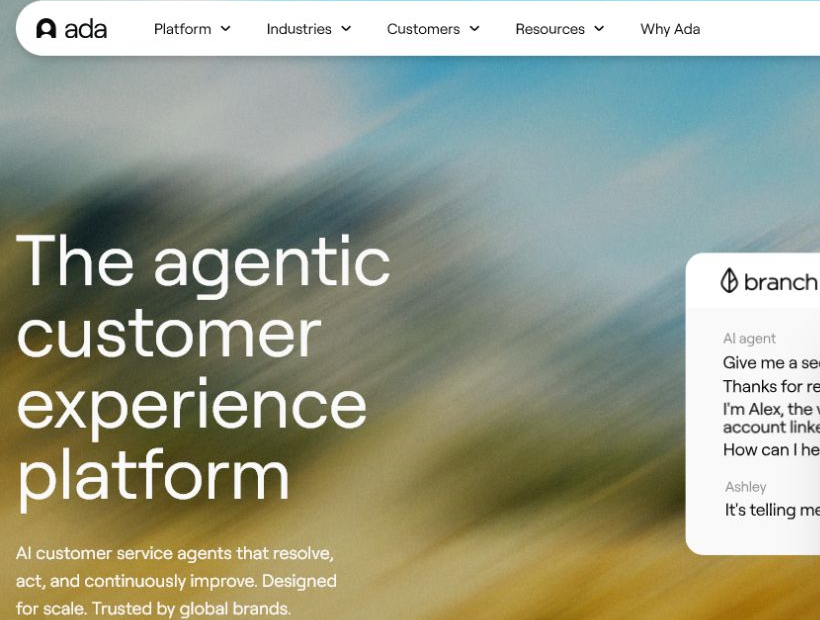
10. Ada
Best for: larger support organizations that need no-code automation, governed customer conversations, multilingual service, and deep process control.
Ada is built for customer service automation at scale. It is a better fit when your team has enough ticket volume, process complexity, and implementation resources to justify a more governed AI automation layer.
Ada’s pricing path leads to a demo rather than a public self-serve price page, so it is usually a sales-led evaluation. That is normal for enterprise customer service automation, but it means smaller teams should compare setup cost carefully.
- Pros: strong automation builder, enterprise fit, scalable support workflows.
- Cons: custom pricing and implementation effort make it less ideal for very small teams.
- Best use: high-volume support operations that need controlled automation.
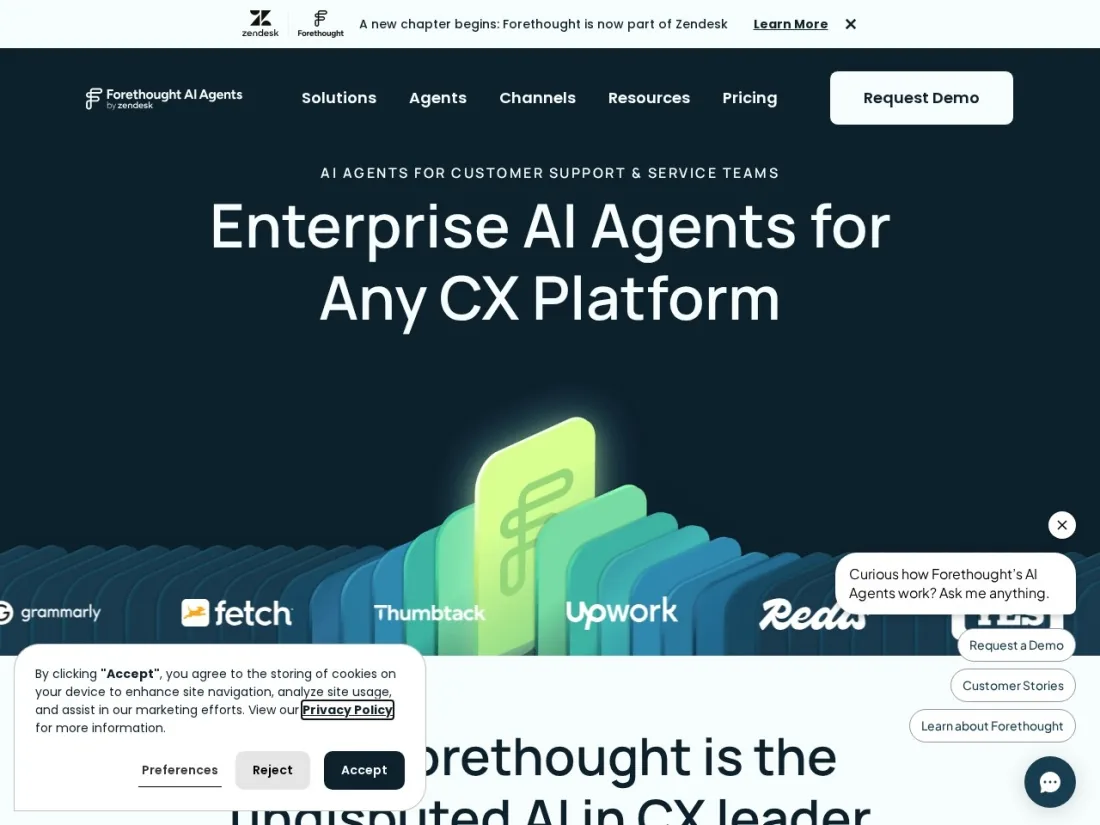
11. Forethought
Best for: enterprise teams that want a broader AI support platform with outcome-based pricing and support automation across multiple channels.
Forethought positions itself as an AI customer service platform rather than a lightweight chatbot. It is useful when your company needs platform access, automation, support knowledge, and more structured AI operations.
Forethought’s pricing page states that pricing blends platform access fees with outcome-based costs, with overage details handled through sales. That makes it important to model ticket volume, projected automation rate, and implementation scope before signing.
- Pros: enterprise positioning, outcome-based pricing logic, broader support automation.
- Cons: not ideal if you need transparent self-serve pricing.
- Best use: teams that need a full AI support platform instead of a simple chat widget.
12. Yuma AI
Best for: ecommerce brands that want AI automation evaluated against real customer tickets and order-related workflows.
Yuma AI is ecommerce-first, which makes it relevant for brands that need more than generic FAQ answers. Its positioning focuses on automating ecommerce tickets, support actions, and support workflows tied to real storefront data.
Yuma’s pricing page highlights performance-based billing and a 30-day trial. That fits teams that want to evaluate automation on real support data before making a long-term commitment.

- Pros: ecommerce-specific, performance-based messaging, useful trial path.
- Cons: not the best fit for general SaaS, B2B onboarding, or internal IT support.
- Best use: Shopify-style stores trying to automate repetitive customer service tickets.
AI chatbot vs AI agent vs AI helpdesk
Many pages use these words loosely, but they are not the same thing.
| Type | What it does | Best for |
|---|---|---|
| AI chatbot | Answers questions from docs, FAQs, or website content. | Simple self-service and product questions. |
| AI agent | Can reason through a task, use tools, collect data, take actions, and hand off when needed. | Order updates, account changes, troubleshooting flows, and multi-step support. |
| AI helpdesk | Combines ticketing, inbox, workflows, agents, automation, reporting, and support operations. | Teams that need a full support system, not only a chat widget. |
If you only need answers from FAQs, a chatbot may be enough. If you need the system to look up orders, update accounts, create returns, summarize tickets, and escalate with context, you need an AI agent or AI helpdesk.
How to choose the right AI customer support tool
Before booking demos, define these five numbers. They will prevent bad purchases.
- Monthly ticket volume: Count support tickets, live chats, emails, social messages, and repetitive inquiries.
- Top 20 repetitive questions: Sort your last 90 days of tickets by reason. AI should start there.
- Escalation risk: Identify issues that should always go to a human, such as billing disputes, cancellations, compliance, refunds above a threshold, or angry customers.
- Knowledge quality: If your help center is outdated, the AI will produce weak answers. Fix docs first.
- Cost model: Compare seat pricing, ticket pricing, outcome pricing, credit pricing, and implementation fees.
Simple decision framework
| If you already use Intercom | Start with Fin before adding another AI vendor. |
| If you already use Zendesk | Evaluate Zendesk AI first, then compare Intercom Fin, Forethought, Ada, or Chatbase as overlays. |
| If you sell on Shopify | Start with Gorgias or Yuma AI. |
| If you are under 500 support conversations per month | Start with Tidio, Chatbase, Help Scout, or Freshdesk. |
| If your tickets require account actions | Look for AI agents with permissions, audit logs, safe actions, and human approval. |
| If you need enterprise governance | Shortlist Zendesk AI, Ada, Forethought, Salesforce Agentforce, ServiceNow, or Kore.ai. |
A 7-day testing plan before buying
Do not judge AI customer support tools only from a polished demo. Run a small test with your own tickets.
- Day 1: Export 50 recent tickets from your top support categories.
- Day 2: Clean your help center articles, refund policy, billing policy, and product FAQs.
- Day 3: Train or connect the AI tool to approved support sources only.
- Day 4: Test simple questions, complex questions, angry customers, billing questions, and edge cases.
- Day 5: Score each answer: correct, partially correct, wrong, unsafe, or needs human handoff.
- Day 6: Compare pricing using your real monthly volume.
- Day 7: Decide whether the tool can go live on low-risk tickets first.
The safest first rollout is usually low-risk automation: FAQs, order status, product setup, password/account basics, and ticket summaries. Keep refunds, cancellations, account changes, and angry customers behind human review until the data proves the AI is reliable.
Best starter stacks by business type
| Business type | Starter stack | Why |
|---|---|---|
| Solo founder or tiny SaaS | Chatbase + Help Scout or Tidio | Low setup cost and enough AI answers for common questions. |
| Growing B2B SaaS | Intercom Fin + Help Center + product docs | Strong chat-first experience and handoff. |
| Shopify brand | Gorgias or Yuma AI | Better ecommerce context for order and return tickets. |
| Budget-conscious support team | Freshdesk Freddy AI | Balanced helpdesk plus AI without enterprise complexity. |
| CRM-first service team | HubSpot Service Hub | Support AI works better when CRM context matters. |
| Enterprise support org | Zendesk AI, Ada, Forethought, or Salesforce Agentforce | Better governance, reporting, and implementation support. |
What most comparison articles miss
Most AI customer support tool roundups list features, but they miss the operational risks that decide whether AI support succeeds.
- Bad knowledge bases create bad AI support. The tool is not the only problem. Outdated docs, conflicting policies, and missing product details break AI answers.
- Deflection is not the same as resolution. A customer leaving chat does not mean their issue was solved.
- Pricing can shift from cheap to expensive at scale. Per-resolution and per-outcome pricing feels simple until volume grows.
- Support AI needs a human fallback. The best tools know when not to answer.
- Integrations matter more than clever copy. A support AI that cannot see order, billing, or account context will struggle with real tickets.
Final recommendation
If you want the safest decision, start with your existing support stack. Intercom users should test Fin first. Zendesk users should test Zendesk AI first. Shopify brands should compare Gorgias and Yuma AI. Small teams should start with Tidio, Chatbase, Help Scout, or Freshdesk. Enterprise teams should compare Zendesk AI, Ada, Forethought, Salesforce Agentforce, ServiceNow, and Kore.ai based on governance, integrations, and implementation support.
The real winner is the tool that resolves your repetitive tickets accurately, escalates risky cases with context, and gives your human support team more time for complex conversations.
For more software discovery, browse AI customer support tools on ReviewAIToolz. If you run an AI support product, you can submit your AI tool or request sponsored placement through ReviewAIToolz advertising.
FAQs about AI customer support tools
What is the best AI customer support tool in 2026?
The best AI customer support tool depends on your stack. Intercom Fin is strong for SaaS chat support, Zendesk AI is best for existing Zendesk teams, Gorgias and Yuma AI fit ecommerce, Freshdesk is strong for SMB helpdesk workflows, and Chatbase or Tidio are good starter options.
What is the difference between AI customer support tools and AI customer service software?
The terms overlap. AI customer support tools often refer to chatbots, AI agents, ticket summaries, and automation features. AI customer service software usually means a broader platform with ticketing, inbox, workflows, help center, reporting, routing, and AI features.
Can AI customer support tools replace human agents?
Not fully. AI is best for repetitive, low-risk tickets and agent assistance. Humans should still handle angry customers, complex billing disputes, compliance issues, sensitive account changes, and conversations that require empathy or judgment.
How much do AI customer support tools cost?
Pricing varies. Some tools charge per seat, some per ticket, some per AI resolution or outcome, some by message credits, and some use custom enterprise pricing. Always calculate cost using your real monthly ticket volume and expected AI resolution rate.
Which AI customer support tool is best for small business?
Small businesses should usually compare Tidio, Chatbase, Help Scout, Freshdesk, and Zoho Desk first. These tools are easier to start with than large enterprise platforms and can cover basic website chat, FAQs, and ticket workflows.
Which AI customer support tool is best for ecommerce?
Gorgias and Yuma AI are strong ecommerce options because they are built around order status, returns, shipping questions, Shopify-style workflows, and repetitive retail tickets. Tidio can also work well for smaller ecommerce stores.
Should I choose an AI chatbot or an AI agent?
Choose an AI chatbot if you only need FAQ and documentation answers. Choose an AI agent if the tool needs to check order data, update accounts, collect structured inputs, trigger workflows, or complete multi-step tasks with a safe human handoff.
What should I check before buying an AI support tool?
Check knowledge base quality, human handoff, integrations, pricing model, security controls, reporting, answer accuracy, and whether the tool can safely handle your top repetitive ticket categories. Do not rely on vendor demo claims alone.
Can ChatGPT be used for customer support?
ChatGPT can help draft replies, summarize tickets, create macros, and power custom support workflows through approved systems. For production customer support, most teams still need a support platform with permissions, routing, audit trails, data controls, and human handoff.
Business inquiries: For AI tool submissions, sponsored listings, guest posts, corrections, or advertising, contact team.reviewaitoolz@gmail.com.
{Found something wrong or outdated? Report an issue. Want us to cover something? Suggest a topic.
Comments