
AI tools for ecommerce are most useful when they remove a real bottleneck: slow product page creation, weak product photos, abandoned carts, repetitive support tickets, poor onsite search, manual ad creative, or confusing attribution. If you run a Shopify, WooCommerce, Amazon, DTC, or marketplace business, the right AI stack should help you sell more with fewer manual steps, not just add another dashboard to check.
The best starting stack for most small ecommerce brands in 2026 is simple: use Shopify Sidekick or Shopify Magic for product and store tasks, Klaviyo or Omnisend for lifecycle email and SMS, Gorgias or Tidio Lyro for customer support, and Photoroom or CreatorKit for product images and short-form creative. Add analytics, personalization, and AI search only after you have enough traffic and orders to measure the lift.
This guide is written for ecommerce founders, store operators, marketers, agencies, and small teams comparing AI ecommerce tools with buying intent. It focuses on practical use cases: product descriptions, product images, email flows, SMS, customer service, onsite search, product recommendations, ad creative, product quizzes, merchandising, and revenue analytics.
ReviewAIToolz checked each tool against ecommerce workflows, public pricing pages, official product pages, integration fit, AI feature claims, and common buyer questions from Google and Reddit-style search patterns. Pricing and feature notes were checked on July 30, 2026, but AI plans change often, especially credits, seats, AI conversations, and usage-based pricing. Always confirm the final plan on the official vendor website before buying.
If your store problem is paid campaigns, lifecycle content, or creative testing, compare more AI marketing tools. If your bottleneck is tickets, live chat, returns, or help-center answers, start with the AI customer support tools category before buying a broader ecommerce platform.
Editorial note: This guide follows the ReviewAIToolz review methodology and editorial policy. Tool facts are checked against public or official sources where possible, and hands-on testing is labelled only when it actually happened.
Best AI tools for ecommerce by use case
| Use case | Best pick | Best for | Pricing signal checked |
|---|---|---|---|
| Store assistant and product copy | Shopify Sidekick + Shopify Magic | Shopify merchants who want AI inside the admin | Sidekick is included with Shopify plans; usage limits vary by plan |
| Email and SMS retention | Klaviyo | Growth-stage Shopify and DTC brands | Free plan up to 250 profiles and 500 emails/month |
| Budget email and SMS | Omnisend | Small stores that want ecommerce automations without heavy setup | Free plan; Standard and Pro scale by list size |
| Ecommerce support automation | Gorgias | Shopify brands with order, returns, and support volume | Helpdesk by ticket volume; AI Agent paid when it resolves |
| Low-friction chatbot | Tidio Lyro | Small stores that want live chat plus AI answers | First 50 Lyro conversations are free lifetime |
| Product photography | Photoroom | Catalog images, backgrounds, fashion models, marketplace visuals | Free start; Pro, Max, Ultra, Enterprise tiers |
| Product videos and ads | CreatorKit | DTC brands creating product videos and social ad assets | Free plan; Pro from $39/month |
| Ad creative testing | AdCreative.ai | Meta, Google, and performance creative testing | 7-day free trial shown on official site |
| Revenue analytics and attribution | Triple Whale | DTC brands spending seriously on paid acquisition | Pricing depends on annual revenue and package |
| Upsells and product recommendations | Rebuy | Shopify brands improving AOV and merchandising | Platform pricing scales by orders per month |
| AI search and discovery | Algolia | Larger catalogs that need fast, relevant search | Grow Plus includes 10K searches/month, then usage pricing |
| Product quiz personalization | Octane AI | Beauty, wellness, apparel, supplements, and guided shopping | Basic starts at $50/month with included credits |
How to choose without wasting money
Do not buy every AI ecommerce tool at once. Pick the tool that matches the biggest measurable leak in your store.
| Your problem | What to fix first | Tool category to start with |
|---|---|---|
| Products take too long to publish | Titles, descriptions, SEO fields, image backgrounds | Shopify Magic, Photoroom, CreatorKit |
| People visit but do not buy | Product clarity, product recommendations, quiz guidance, onsite search | Rebuy, Nosto, Algolia, Octane AI |
| Too many repetitive tickets | Order status, returns, shipping questions, product FAQs | Gorgias, Tidio Lyro |
| Repeat purchase is weak | Welcome flow, abandoned cart, post-purchase, winback, SMS | Klaviyo, Omnisend |
| Ad spend is hard to judge | Attribution, blended ROAS, creative performance, channel mix | Triple Whale |
If your store is new, start with product pages, email capture, abandoned cart, and basic support. If your store already has traffic, focus on conversion rate optimization, customer segmentation, support deflection, and merchandising. If your brand is scaling paid ads, add attribution and creative testing before buying enterprise personalization.
1. Shopify Sidekick + Shopify Magic
Best for: Shopify merchants who want built-in AI for store setup, product copy, product photos, data questions, marketing prompts, and operational tasks.
Shopify Sidekick is the most natural starting point if your ecommerce business already runs on Shopify. It lives inside the Shopify workflow, so it can help with store questions, product content, marketing tasks, data prompts, and admin actions without forcing you to copy store details into a generic chatbot.
Official Shopify materials describe Sidekick as an AI Shopify expert that can help with design, photo editing, writing, tech support, marketing, product descriptions, weekly summaries, discounts, email campaigns, low-stock alerts, smart collections, ad spend questions, and shipping audits. Shopify also states that Sidekick is included with Shopify plans, with features and usage limits varying by plan.

Pros
- Built directly into Shopify admin workflows.
- Useful for product descriptions, store setup, product photos, discounts, email ideas, reporting questions, and everyday store operations.
- No separate AI tool to connect for basic Shopify tasks.
- Good first AI layer for small brands with limited time.
Cons
- Only makes sense if your store is on Shopify.
- Not a complete replacement for a dedicated email, support, search, or analytics platform.
- Feature availability and usage limits can vary by Shopify plan and rollout.
ReviewAIToolz verdict: Start here if you use Shopify. It will not replace your whole ecommerce stack, but it can reduce the blank-page work around products, campaigns, collections, and store operations.
2. Klaviyo
Best for: ecommerce email, SMS, segmentation, abandoned cart, predictive customer data, and repeat purchase flows.
Klaviyo is one of the strongest AI tools for ecommerce retention because it connects customer profiles, store events, product behavior, segmentation, email, SMS, analytics, and now more AI-assisted campaign work in one place. It is especially useful for Shopify and DTC brands that want customer data to power targeted flows instead of sending the same newsletter to everyone.
Official Klaviyo pricing shows a free plan with up to 250 profiles, 500 email sends per month, $5 of mobile messages per month, 10,000 Composer credits, built-in reporting, and email support. It also lists an AI-powered subject line generator and customer service-related products such as Customer Hub and Helpdesk on the pricing page.
Pros
- Strong ecommerce integrations and customer profile data.
- Good for abandoned cart, browse abandonment, post-purchase, winback, VIP, replenishment, and segmentation flows.
- AI features are tied to marketing workflows rather than standalone prompting.
- Free plan lets very small stores test the platform.
Cons
- Costs rise as your active profile count and channel usage grow.
- Setup quality matters. Poor segmentation can make AI suggestions less useful.
- Small stores may feel the platform is more advanced than they need at first.
ReviewAIToolz verdict: Choose Klaviyo when email and SMS can become a revenue channel, not just a newsletter tool. If your list is tiny and budget is tight, compare it with Omnisend before committing.
3. Omnisend
Best for: smaller ecommerce teams that want email, SMS, web push, forms, automations, and AI insights without enterprise-level complexity.
Omnisend is a practical Klaviyo alternative for stores that want ecommerce-focused marketing automation but prefer a simpler learning curve. Its official pricing page highlights ecommerce AI features such as Forms AI, audience trend analysis, AI insights, and Omnisend MCP for talking to your account data from an AI tool.
The free plan includes 500 monthly emails, 250 contacts, 500 web push notifications, migration, and 24/7 support. Omnisend also says the free plan gives access to paid-plan features, with limitations mainly around monthly sends and contacts.
Pros
- Free plan is useful for early stores.
- Includes ecommerce-focused email, SMS, push, forms, segmentation, and automation features.
- Forms AI and Reports AI are practical for small teams.
- Good option for WooCommerce and Shopify stores.
Cons
- Costs still scale with list size and usage.
- Advanced segmentation and analytics may not match the deepest Klaviyo setups for larger DTC brands.
- SMS costs vary by country and volume.
ReviewAIToolz verdict: Choose Omnisend when you want a clean ecommerce email/SMS system that is easier to launch. Choose Klaviyo if you need deeper lifecycle segmentation and a more mature DTC marketing stack.
4. Gorgias
Best for: ecommerce customer support automation, especially Shopify brands with repetitive order, shipping, return, and product questions.
Gorgias is built around ecommerce support, not generic helpdesk work. That matters because ecommerce support is full of repeated but context-heavy questions: Where is my order, can I return this, which product should I buy, where is my discount, and can you change my shipping address?
Official Gorgias pricing says its AI Agent is available on every plan and that you pay only when it resolves a conversation. The helpdesk scales from 50 to 5,000 tickets per month and is not priced per agent. That makes cost planning different from seat-based support tools: you need to estimate tickets, AI resolution volume, and support complexity.

Pros
- Purpose-built for ecommerce support workflows.
- Good fit for Shopify brands handling WISMO, returns, exchanges, product questions, and pre-sale support.
- AI Agent pricing is tied to resolved conversations rather than only seats.
- Works as a support suite, not only a chatbot widget.
Cons
- Outcome-based pricing needs careful volume modeling.
- Can be too much for very small stores with low ticket volume.
- Support automation quality depends on clean policies, product data, and knowledge base content.
ReviewAIToolz verdict: Choose Gorgias when support is starting to slow down growth or hurt customer experience. For ecommerce support specifically, it is more relevant than many generic AI chatbots.
For a broader support comparison, read our Best AI Customer Support Tools for 2026 guide.
5. Tidio Lyro
Best for: small stores that want live chat, chatbot flows, and an AI agent without committing to a larger helpdesk stack.
Tidio is often a better fit than enterprise support software when the store is small but still needs faster answers. Lyro AI Agent can answer questions from your FAQ, website, and knowledge content, while Tidio can still support live chat and flows.
Official Tidio pricing shows Lyro AI Agent conversations, with the first 50 conversations free for lifetime, and the ability to upgrade monthly limits from 50 to 1,000. It also lists free Actions and Flow visitor allowances before upgrades.
Pros
- Easy starting point for live chat plus AI answers.
- Useful for stores that need FAQ automation, lead capture, and simple support flows.
- Free Lyro conversation allowance helps test before paying.
- Less intimidating for small teams than larger support suites.
Cons
- Costs can become confusing when customer service, Lyro, flows, and usage limits stack together.
- Not as ecommerce-native as Gorgias for order and return-heavy support.
- AI quality depends on your help content and product detail quality.
ReviewAIToolz verdict: Choose Tidio Lyro if you want a fast support upgrade without overbuilding. Move to Gorgias when ecommerce context and ticket volume become more important.
6. Photoroom
Best for: AI product photography, background cleanup, consistent catalog visuals, fashion model images, marketplace photos, and product image editing.
Product images are one of the highest-leverage ecommerce assets. AI can help with background removal, product-background consistency, marketplace-ready images, product shadow control, and fashion model imagery. Photoroom is built for this visual workflow rather than generic image generation.
Official Photoroom pricing lists Pro, Max, Ultra, and Enterprise tiers. The pricing page highlights AI Backgrounds, AI Fashion Models, Video Generator on higher tiers, and product/listing AI tools using credits. Shopify integration appears in higher tiers on the feature comparison.

Pros
- Purpose-built for ecommerce product photos.
- Useful for backgrounds, product listings, marketplaces, AI fashion models, and batch-style visual workflows.
- More controlled than general AI image tools for catalog work.
- Can reduce the cost and time of visual production for small catalogs.
Cons
- Credit usage matters for advanced tools.
- Fashion, jewelry, and detailed products still need human QA before publishing.
- Shopify integration is not included in every tier.
ReviewAIToolz verdict: Choose Photoroom when product images are blocking product launches or hurting marketplace trust. Always review AI visuals for accuracy before using them on product pages.
7. CreatorKit
Best for: AI product videos, product photos, ad videos, AI actors, AI clones, and short-form creative for ecommerce campaigns.
CreatorKit is useful when your store needs more creative output for Meta, TikTok, Instagram, landing pages, product launches, and retargeting. It is not only an image editor; it is closer to an ecommerce creative production tool for ads and video.
Official CreatorKit pricing shows a free plan and Pro at $39/month. The pricing page highlights AI variations, AI actors, video generations, AI product images, brand kit, scripts, downloads, and cross-platform creative workflows.
Pros
- Built around ecommerce creative, not generic design templates.
- Good for product videos, AI actors, AI product images, and rapid ad iteration.
- Free plan helps test output quality.
- Useful for small teams that need more creative volume.
Cons
- Generated videos still need brand and accuracy review.
- Not a full ad management platform.
- May overlap with Canva, Photoroom, or ad creative tools if your stack is already crowded.
ReviewAIToolz verdict: Choose CreatorKit if creative production is slowing down ad tests. Pair it with a clear testing plan so you know which videos actually improve click-through rate and conversion.
8. AdCreative.ai
Best for: AI ad banners, ad copy, product photoshoots, video ads, and performance creative testing.
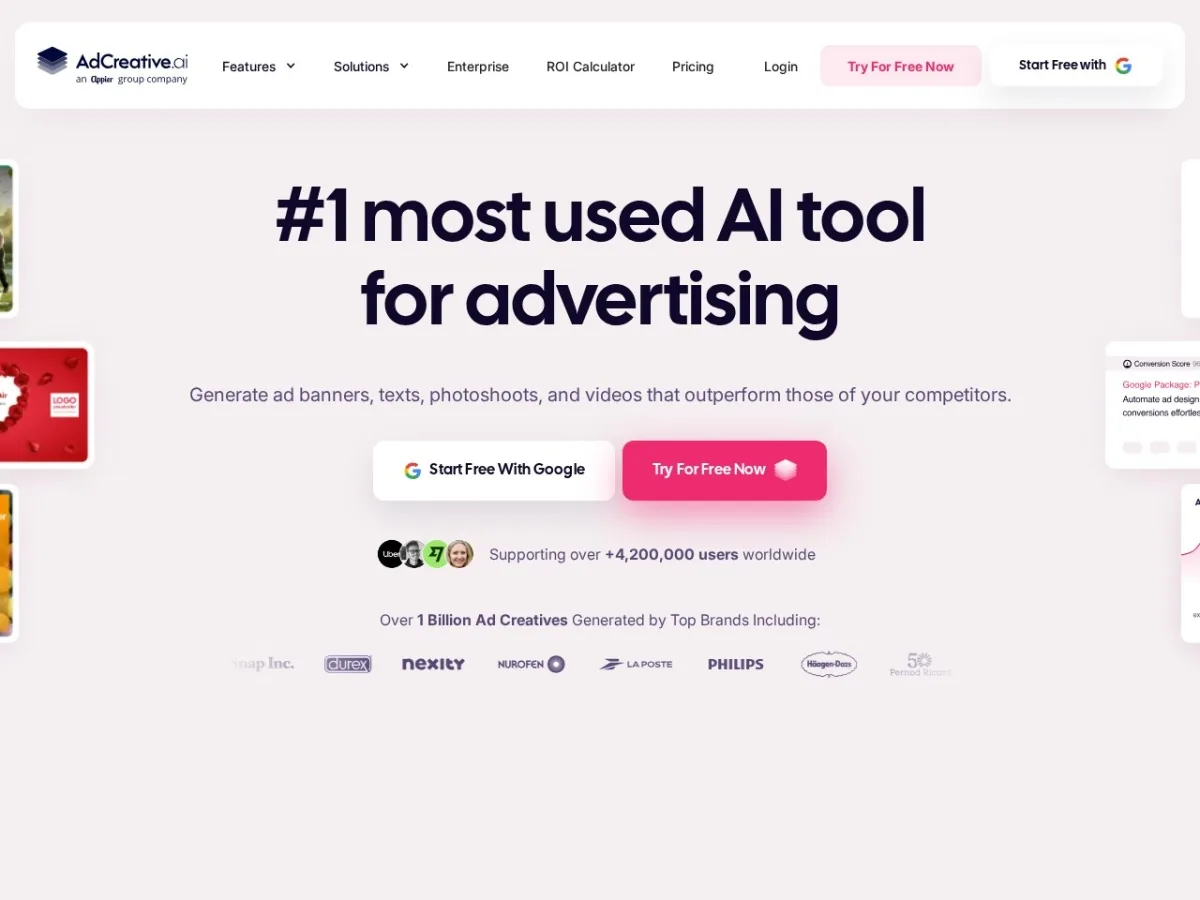
AdCreative.ai is built for marketers who need ad variations quickly. For ecommerce, the main value is not just making prettier banners. It is producing enough creative angles to test hooks, benefits, offers, formats, and audience messaging without waiting days for each iteration.
Official AdCreative.ai messaging highlights ad banners, texts, photoshoots, and videos, plus a 7-day free trial. The best way to use it is with a test plan: 3 product angles, 3 customer pains, 3 offer variations, and 2 formats for each channel.
Pros
- Designed for performance ad creative.
- Generates ad texts, banners, product-style visuals, and videos.
- Useful for high-volume creative testing.
- Trial lets teams check brand fit before committing.
Cons
- AI creative still needs human review for brand tone, claim accuracy, and compliance.
- Will not fix poor offer, poor product-market fit, or bad landing pages.
- Output quality depends on inputs, product assets, and brand guidelines.
ReviewAIToolz verdict: Choose AdCreative.ai when ad creative volume is the bottleneck. Do not buy it if you cannot measure creative performance by campaign, product, and audience.
9. Triple Whale
Best for: ecommerce analytics, attribution, blended performance, AI-powered insights, and growth decision-making for brands with meaningful ad spend.
Triple Whale is not the first AI tool a tiny store should buy. It becomes useful when your ad spend, channels, and revenue data are big enough that Shopify reports, Meta Ads, Google Ads, and email platform dashboards start telling different stories.
Official Triple Whale pricing says prices are based on a combination of brand annual revenue and chosen package: Foundation, Automate, or Enterprise. Every paid plan includes unlimited users and can integrate with multiple stores. Triple Whale also positions Moby as an AI teammate for measurement, reporting, investigation, automations, and next-step recommendations.
Pros
- Strong fit for DTC brands managing paid acquisition.
- Moby adds AI assistance on top of ecommerce performance data.
- Helps teams move from raw dashboards to decisions.
- Useful for agencies and operators managing multiple channels.
Cons
- Can be premature for small stores without steady order volume.
- Pricing depends on revenue and selected package.
- Needs clean tracking, connected channels, and consistent reporting discipline.
ReviewAIToolz verdict: Choose Triple Whale after you have enough ad spend and order volume to justify better attribution. Before that, improve product pages, email capture, support, and creative testing first.
10. Rebuy
Best for: Shopify personalization, smart cart, upsells, cross-sells, post-purchase offers, bundles, smart search, collections, flows, and A/B testing.
Rebuy helps ecommerce brands increase average order value and customer journey relevance. The best use cases are product recommendations, cart offers, post-purchase offers, dynamic bundles, checkout extensions, and smarter merchandising.
Official Rebuy pricing says price is based on orders per month. Its Platform One package is shown at $534/month billed monthly, while build-your-own plan pricing changes depending on products selected, billing term, and order volume. Rebuy lists Smart Cart, merchandising widgets, dynamic bundles, checkout/post-purchase offers, Smart Search, Smart Collections, flows, and A/B testing across its package options.
Pros
- Strong Shopify fit for upsells, cross-sells, bundles, and smart cart experiences.
- Can improve AOV when recommendations are relevant.
- Includes A/B testing and merchandising features.
- Useful across cart, checkout, post-purchase, and collections.
Cons
- Best value comes after you have enough traffic and order volume.
- Can become expensive if personalization lift is not measured.
- Shopify-centric, so not the best fit for every ecommerce platform.
ReviewAIToolz verdict: Choose Rebuy when your conversion funnel is working but you want higher AOV and better merchandising. Measure lift by revenue per visitor, AOV, attachment rate, and post-purchase take rate.
11. Algolia
Best for: AI search, product discovery, semantic relevance, recommendations, personalization, merchandising, and larger product catalogs.
Search is often ignored until a catalog becomes too large for basic filters. If shoppers search for “waterproof hiking jacket” but your site only matches exact tags, you lose high-intent buyers. Algolia is built for faster, more relevant product discovery and now includes AI capabilities across ranking, synonyms, recommendations, personalization, and generative experiences.
Official Algolia pricing lists Grow Plus as keyword search with AI capabilities, including 10,000 search requests per month and then $1.75 per additional 1,000 search requests, with 100,000 records included and additional records priced separately. The Build plan is free to test with search requests, records, AI recommendation requests, crawls, a generative experience guide, personalization, AI Dynamic Re-ranking, and AI Synonyms.
Pros
- Strong search and discovery platform for serious catalogs.
- AI ranking, AI synonyms, recommendations, personalization, and merchandising options.
- Usage-based pricing can start small if query volume is low.
- Good fit for developers and ecommerce teams needing speed and control.
Cons
- Setup can require technical work.
- Costs grow with search requests, records, and higher AI features.
- Too advanced for stores with very small catalogs.
ReviewAIToolz verdict: Choose Algolia when search intent is costing sales. It is not just a search box upgrade; it is a product discovery layer for larger catalogs.
12. Octane AI
Best for: product recommendation quizzes, zero-party data, guided shopping, personalization, and email/SMS segmentation for Shopify brands.
Octane AI is useful when shoppers need guidance before buying. This is common in beauty, skincare, supplements, fashion, haircare, fragrance, gifts, and products where the right choice depends on preferences, goals, size, shade, routine, or use case.
Official Octane AI pricing lists the Basic plan at $50/month with 400 credits included, two quizzes, pop-ups and opt-ins, Klaviyo and Shopify sync, AI features, analytics, enhanced integrations, email support, and Octane branding. Higher plans add more credits and capabilities.
Pros
- Strong fit for guided shopping and product recommendation quizzes.
- Klaviyo and Shopify sync make quiz data useful for follow-up flows.
- Good way to collect zero-party data directly from shoppers.
- Useful in product categories where customers need help choosing.
Cons
- Not every store needs a quiz.
- Credit-based pricing must be watched if quiz engagement grows.
- Quiz strategy matters; a generic quiz will not improve conversion.
ReviewAIToolz verdict: Choose Octane AI when product matching is part of the buying journey. If shoppers already know exactly what they need, prioritize search, product pages, or retention instead.
Best AI ecommerce stacks by stage
Starter store under $490/month
- Shopify Sidekick or Shopify Magic for product content and store tasks.
- Omnisend free or Klaviyo free for basic email capture and abandoned cart.
- Tidio free/Lyro trial for basic support questions.
- Photoroom or CreatorKit free/entry plan for product visuals.
This stage is about speed and trust: clean product pages, good product images, a welcome flow, abandoned cart recovery, and basic support answers.
Growing Shopify brand
- Klaviyo for lifecycle email/SMS and segmentation.
- Gorgias for support automation and order-context tickets.
- CreatorKit or AdCreative.ai for creative testing.
- Rebuy for smart cart, upsells, bundles, and post-purchase offers.
This stage is about conversion and repeat purchase. Measure revenue per visitor, AOV, repeat purchase rate, email/SMS revenue, ticket deflection, and support satisfaction.
Scaling DTC brand with paid media
- Triple Whale for attribution and AI-assisted performance analysis.
- Algolia for catalog search and discovery if search volume matters.
- Rebuy for personalization, merchandising, smart cart, and post-purchase offers.
- Gorgias plus knowledge-base cleanup for support automation.
This stage is about measurement. Do not add advanced AI tools unless you can connect the tool to conversion rate, AOV, CAC, MER, LTV, ticket resolution, or margin.
What most AI ecommerce tool lists miss
Most comparison posts list tools by category, but they do not explain buying order. That is where ecommerce teams waste money. A personalization platform cannot fix weak product photos. An AI chatbot cannot answer specific product questions if your product descriptions are thin. An attribution tool cannot fix tracking that was never installed correctly. An AI ad creative tool cannot rescue a bad offer.
Use this order instead:
- Make product pages clear: title, images, benefits, specs, shipping, returns, FAQs, and reviews.
- Capture demand: email forms, SMS opt-in where appropriate, welcome flow, abandoned cart, browse abandonment.
- Reduce friction: support answers, order tracking, return policy, product recommendation help.
- Improve conversion: search, quizzes, upsells, bundles, product recommendations, landing pages.
- Scale measurement: attribution, cohort reporting, AI insights, creative analytics, channel mix.
This is also how internal linking should work inside your content strategy. A reader comparing ecommerce AI tools may also need broader AI marketing tools, support-specific AI customer support tools, or search visibility tools from our AI tools for SEO and AEO guide. If they are comparing tools directly, they can browse the full AI tools directory or submit a product through the Submit AI Tool page.
7-day testing plan before buying
Before paying for a bigger plan, test one workflow with real ecommerce data.
| Day | Task | Pass/fail signal |
|---|---|---|
| Day 1 | Choose one measurable problem: product copy, support, email, ads, search, or images. | You can name the metric the tool should improve. |
| Day 2 | Connect only the data needed for that workflow. | The tool uses real store context, not generic prompts only. |
| Day 3 | Create 5 to 10 outputs: product descriptions, chat answers, emails, images, or ads. | At least 70 percent are usable after editing. |
| Day 4 | Check accuracy, brand tone, compliance, product claims, pricing, and policies. | No risky claims or wrong product details reach customers. |
| Day 5 | Publish to a limited audience or test product set. | You can isolate the test from the rest of the store. |
| Day 6 | Measure performance against your baseline. | You see time saved, conversion lift, support deflection, or improved creative output. |
| Day 7 | Calculate monthly cost at real usage. | The tool still makes sense after seats, credits, conversations, contacts, and volume are included. |
Final recommendation
If you are starting from scratch, do not build a complicated AI ecommerce stack. Start with Shopify Sidekick or Shopify Magic for product and store work, Omnisend or Klaviyo for retention, Tidio or Gorgias for support, and Photoroom or CreatorKit for visuals. Add Rebuy, Octane AI, Algolia, AdCreative.ai, and Triple Whale only when you have enough traffic, orders, or ad spend to measure the benefit.
The best AI ecommerce tool is the one that improves a visible business metric: faster product launches, higher conversion rate, more repeat purchases, lower support load, better creative testing, stronger product discovery, or clearer attribution. If a tool cannot connect to one of those outcomes, it is probably not the next tool you need.
FAQs about AI tools for ecommerce
What are the best AI tools for ecommerce in 2026?
The best AI tools for ecommerce depend on the use case. Shopify Sidekick is best for Shopify-native store tasks, Klaviyo and Omnisend are best for email/SMS retention, Gorgias and Tidio Lyro are best for support automation, Photoroom and CreatorKit are best for product visuals, Rebuy and Octane AI are best for personalization, Algolia is best for AI search, and Triple Whale is best for analytics and attribution.
What is the best free AI tool for ecommerce?
For Shopify merchants, Shopify Magic and Sidekick are the best built-in starting points because they work inside Shopify. Omnisend and Klaviyo also offer free plans for small email lists, Tidio offers a free Lyro conversation allowance, and some creative tools offer free or trial access. Free plans are useful for testing, but they usually become limited once traffic, contacts, credits, or conversations grow.
Which AI tool should a Shopify store use first?
A Shopify store should usually start with Shopify Sidekick or Shopify Magic for product and store tasks, then add an email/SMS tool such as Klaviyo or Omnisend, and a support tool such as Gorgias or Tidio when customer questions increase. Do not start with an advanced analytics or personalization tool until the store has enough orders to measure results.
Can AI tools increase ecommerce sales?
Yes, but only when they improve a real workflow. AI can help increase sales by improving product copy, product images, abandoned cart flows, customer support speed, search relevance, product recommendations, ad creative testing, and attribution decisions. AI will not fix a weak product, poor offer, slow website, unclear shipping policy, or bad customer experience by itself.
Are AI product descriptions safe for SEO?
AI product descriptions can be safe for SEO if they are accurate, helpful, original, and edited by a human who understands the product. Do not publish generic AI copy across hundreds of products without adding real specs, benefits, use cases, comparison details, shipping information, return details, and customer questions. Google rewards useful content for shoppers, not scaled copy that adds no value.
What AI tools help ecommerce customer service?
Gorgias and Tidio Lyro are strong ecommerce support options. Gorgias fits Shopify brands with order-context support, returns, shipping questions, and growing ticket volume. Tidio Lyro fits smaller stores that want live chat and AI FAQ answers without adopting a bigger helpdesk stack.
Which AI tools are best for ecommerce product images?
Photoroom is one of the best AI product photography tools for ecommerce catalogs, background cleanup, AI backgrounds, marketplace visuals, and fashion model workflows. CreatorKit is stronger when you need product videos and ad-style creative. Always review AI visuals for product accuracy before publishing them on product pages or ads.
Should ecommerce stores use ChatGPT instead of paid AI tools?
ChatGPT can help with brainstorming, product copy drafts, SEO ideas, customer personas, and campaign angles, but ecommerce-specific tools usually work better when they connect to store data, products, orders, email events, customer profiles, support tickets, search logs, or ad performance. Use ChatGPT for thinking and drafting; use ecommerce AI tools when workflow integration matters.
Business inquiries: For AI tool submissions, sponsored listings, guest posts, corrections, or advertising, contact team.reviewaitoolz@gmail.com.
Official sources checked
- Shopify Sidekick
- Klaviyo pricing
- Omnisend pricing
- Gorgias pricing
- Tidio pricing
- Photoroom pricing
- CreatorKit pricing
- AdCreative.ai
- Triple Whale pricing
- Rebuy pricing
- Algolia pricing
- Octane AI pricing
- Google Search guidance for generative AI experiences
- Google ecommerce SEO best practices
{
Found something wrong or outdated? Report an issue. Want us to cover something? Suggest a topic.
Comments